
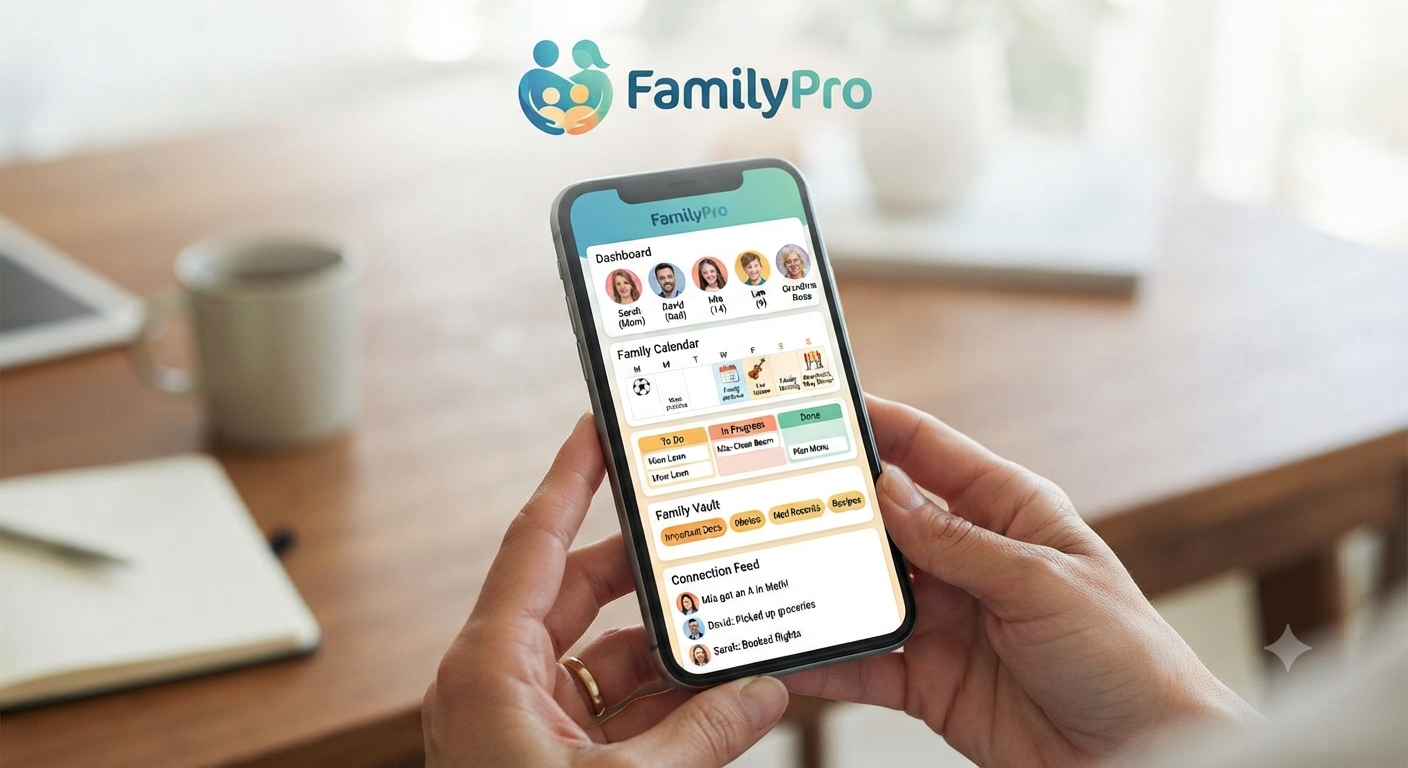
FamilyPro is a subscription-sharing marketplace designed for people who want premium digital services without paying the full individual price. It groups users around streaming, music, learning, productivity, and AI subscriptions, then sells access through a shared profile, family-group invitation, private account, or another product-specific arrangement.
That sounds simple. The important detail is that every service has different rules. A Spotify family invitation, a shared Netflix profile, and shared ChatGPT credentials are not equivalent products, even when they are displayed beside one another in the same marketplace.
This review explains the business model, the practical benefits, the policy risks, and the checks that matter before payment.
What Is FamilyPro?
FamilyPro is an online group-buying platform operated by ZingStone HongKong Limited. Its published terms identify a Hong Kong legal entity, business address, and support email, while the website describes its service as a way to access premium subscriptions at lower group prices.
The platform lists products across categories such as streaming, music, language learning, artificial intelligence, and software. Depending on the item, a customer may receive access to a shared profile, an invitation to a multi-user plan, a private account supplied by the seller, or credentials for an account used by more than one person.
That distinction affects nearly everything: privacy, stability, account control, customer support, and compliance with the original provider’s terms. Buyers should therefore judge the exact product page, not the marketplace name alone.
How the FamilyPro Subscription Model Works
The platform acts as an intermediary between the customer and access to a third-party digital service. Instead of purchasing an official plan directly from Netflix, Spotify, OpenAI, or another provider, the customer buys a lower-cost access arrangement through FamilyPro.
The usual process is straightforward:
- Choose a service and subscription duration.
- Review the package type, device limits, and usage instructions.
- Create a marketplace account and complete payment.
- Receive credentials, a profile, an activation method, or a family invitation.
- Follow the product-specific rules to avoid disrupting access.
Its general terms state that customers become part of a “virtual family.” They also impose a one-device-at-a-time rule and acknowledge that third-party policy changes may make some shared subscriptions unavailable.
This last point matters. The marketplace does not control the underlying service. A product can work correctly when purchased and later be affected by household checks, location verification, password changes, provider enforcement, or changes to family-plan eligibility.
The Four Access Types Buyers Need to Understand
Not every discounted subscription carries the same risk. Before choosing FamilyPro, identify which of these access structures applies.
1. Invitation to Your Personal Account
This is often the cleanest arrangement. You keep your own login, history, playlists, recommendations, and recovery email, while a plan manager adds your account to a family or group subscription.
Privacy is better because strangers do not receive your password. Still, the arrangement may fail when the original provider requires all members to live at the same address.
2. Shared Profile Inside a Master Account
A shared Netflix-style profile usually gives the buyer a separate viewing space inside an account controlled by someone else. It can feel private because watch history and recommendations are separated, but the account owner still controls the subscription, password, and profiles.
FamilyPro currently advertises Netflix profile access and publishes device and credential-sharing restrictions on that product. The practical weakness is control: customers do not own the master account and may need support if credentials change.
3. Shared Login Credentials
This arrangement gives multiple customers access to the same account. It is usually cheaper, but it creates the highest privacy and stability risk because users may see shared history, files, prompts, searches, or account settings.
It can also conflict directly with provider rules. OpenAI states that an OpenAI account is intended for the individual who created it and that another person should create a separate account rather than share one.
4. Preconfigured or Supplied Private Account
Some products may be delivered as a separate account intended for one buyer. This reduces exposure to other customers, yet the buyer must still ask who controls the recovery email, phone number, payment method, and identity verification.
A “private account” label is not enough. Real ownership means the customer can change the password, enable two-factor authentication, replace recovery details, and retain access without depending on the seller.
Why FamilyPro Appeals to Budget-Conscious Users
The clearest advantage is cost reduction. A person who wants several premium services can face a significant recurring bill, particularly when subscriptions are priced in stronger currencies than their local income.
FamilyPro may appeal to:
- Students testing an AI or learning tool for a limited project.
- Viewers who need one streaming service for a specific series.
- Freelancers exploring software before committing to an annual plan.
- Users who cannot access a convenient local payment method.
- Households trying to reduce overlapping subscription expenses.
There is also convenience. Instead of recruiting friends, collecting monthly payments, replacing members, and administering several family groups, the marketplace handles much of the coordination.
The trade-off is reduced control. The discount is partly compensation for accepting dependence on an intermediary and the rules of a subscription you may not own.
Is FamilyPro Safe?
Safety is a multi-faceted concept that has to be considered from several points of view. This is why payment safety, personal data security, account security, uninterrupted operation, and compliance with policies must be taken into consideration.
The website has to publish the company’s legal entity, privacy policy, terms, refund policy, support email or phone, and address. However, these facts are insufficient for me to assert that all the products will operate stably and consistently, as well as all the disputes and issues will be solved in buyers’ favor.
Independent reviews are the only remaining criterion, and according to Trustpilot, as of July 13, 2026, there are 14 reviews and a score of 3.2 out of 5. This is a very limited number of reviews to claim that the company has a universal safety guarantee. Trustpilot itself notes that they moderate comments; therefore, not all customers’ feedback is publicly available. Besides, not all reviews are necessarily factual.
In conclusion, the website sells legal products that operate on an official marketplace with published policies. Still, purchases there are unsafe in comparison with buying a subscription from the provider directly. It depends on the product, but the risks are higher for almost all cases except the simplest ones.
The Biggest Risks to Consider
Provider Terms May Restrict Virtual Families
Several major platforms define a family by household rather than by a group of unrelated customers. YouTube says members of a family plan must live in the same household as the family manager, and it limits how often a person can switch family groups.
Spotify asks family-plan members to verify that they live with the plan manager by submitting their full address. Verification may be requested when someone joins, when the plan manager changes address, or when Spotify cannot confirm the submitted details.
This does not mean every marketplace product will stop immediately. It means access can depend on enforcement systems and policies outside the seller’s control.
Shared Accounts Can Expose Sensitive Activity
Shared entertainment profiles mainly expose viewing behavior. Shared AI, cloud, coding, email, or productivity accounts can expose much more: prompts, uploaded files, personal documents, generated content, billing information, and saved work.
Never use shared credentials for:
- Confidential business data
- Client documents
- Identity records
- Medical information
- Private photographs
- Legal files
- Unreleased content
- Stored passwords
- Proprietary code
The low subscription price cannot compensate for a serious data leak.
Access Can Change Without Your Control
The account owner or administrator may change a password, remove a profile, replace members, hit a usage limit, or lose the subscription. A provider may also request household verification or flag logins from different devices and regions.
FamilyPro itself recognizes this dependency in its terms, which say third-party rules, availability, pricing, and feature changes can affect the service.
Customers should therefore treat uninterrupted long-term access as a possibility rather than a guarantee.
Refunds Are Conditional
The published refund policy covers scenarios such as duplicate payment, non-delivery, or a service that is unusable immediately because of a platform issue. However, successfully delivered and functional subscriptions may be non-refundable for change of mind.
Refunds after partial use may also be reduced for:
- Consumed subscription time
- Used AI credits or quotas
- Bandwidth and storage consumption
- Payment-processing fees
- Other costs already incurred
Buyers should not interpret “refund available” as an unconditional money-back guarantee. Save the product page, checkout terms, delivery promise, and support conversation in case evidence is later required.
FamilyPro Privacy: What Data May Be Collected?
The privacy policy says the platform may collect registration and contact details, payment-related information, IP addresses, browser data, device information, timestamps, cookies, and interaction data.
It also states that information may be shared with providers that support payments, analytics, marketing, customer service, and platform operations. Data may be stored in the United States or other regions, and the policy acknowledges that no security system can guarantee complete protection.
This type of language appears in many online privacy policies, but customers should still apply data minimization.
Use a unique password for the marketplace, avoid reusing your primary email password, and provide only the information required for the transaction. For shared third-party services, keep personal activity separate from sensitive work.
How to Evaluate a FamilyPro Product Before Paying
The best decision is made at the product level. Use this checklist before buying:
- Identify ownership: Will you use your own account, receive an invitation, or log in with supplied credentials?
- Check recovery control: Who controls the email, phone number, backup codes, and password reset?
- Read device limits: Confirm simultaneous streams, login limits, supported devices, and travel restrictions.
- Compare official rules: Visit the original provider’s current family-plan or account-sharing policy.
- Review refund triggers: Note what counts as non-delivery, technical failure, partial use, or misuse.
- Choose a short term first: Test one month before buying a long package.
- Use protected payment: Prefer a method with clear transaction records and dispute procedures.
- Save evidence: Keep screenshots of the offer, price, duration, rules, and order confirmation.
- Avoid sensitive accounts: Do not connect confidential files or valuable identity-linked profiles.
- Calculate real savings: Compare the discounted price with official student, regional, annual, or promotional plans.
This method prevents the most common mistake: treating every cheap subscription as the same deal.
Who Should Consider FamilyPro?
FamilyPro can make sense for a low-stakes, short-term use case where the buyer understands the account arrangement and can tolerate occasional support or access interruptions.
A separate entertainment profile or invitation to a nonessential learning service may be acceptable to a price-sensitive user. The risk becomes easier to manage when losing access would be inconvenient rather than damaging.
Potential users include:
- Casual streaming customers
- Students testing a learning platform
- Users comparing premium features
- People needing temporary access
- Buyers comfortable with third-party support
It is less suitable when uninterrupted access, account ownership, privacy, compliance, or professional reliability matters.
Businesses, agencies, researchers, developers handling proprietary code, and users storing personal documents should favor official individual or business plans.
When an Official Subscription Is the Better Choice
Buy directly when the service is central to your work or digital identity. Official plans generally offer clearer ownership, direct billing support, predictable recovery, personal security controls, and a direct contractual relationship with the provider.
An official plan is especially valuable when:
- You upload confidential or copyrighted material.
- You need reliable access for paid client work.
- Your history, playlists, files, or saved projects are important.
- You travel frequently or use many devices.
- You cannot afford an unexpected profile removal.
- The provider explicitly prohibits credential sharing.
- You need invoices, tax records, or compliance documentation.
For AI tools, a personal account or legitimate multi-seat business workspace is usually the safer route. OpenAI’s business documentation notes that workspace users have separate chat histories, offering a fundamentally different privacy model from sharing one consumer login.
FamilyPro vs. Buying Directly
The right choice depends on what the user values most.
Where the Marketplace Model Wins
FamilyPro may offer:
- Lower short-term costs
- Access without managing a group yourself
- Multiple subscription categories in one marketplace
- Flexible durations for selected products
- A way to test premium benefits before making a larger commitment
Where Official Subscriptions Win
Direct subscriptions normally provide:
- Full account ownership
- Better password and recovery control
- Direct customer support
- Lower exposure to unrelated users
- Clearer compliance with provider terms
- More predictable access
- Reliable billing records
- Better protection for professional activity
The marketplace model optimizes for price. The direct model optimizes for ownership, privacy, and reliability.
Practical Ways to Reduce Subscription Costs Without Shared Credentials
A marketplace is not the only option. Start by auditing subscriptions and canceling services that have not been used in the last month.
Then consider:
- Official annual billing discounts
- Verified student pricing
- Telecom and internet bundles
- Regional pricing
- Free product tiers
- Employer-provided software
- Library memberships
- Open-source alternatives
- Genuine household plans
- Seasonal promotions
- Rotating entertainment services
The most effective strategy is often subscription rotation. Keep one entertainment service active, finish the content you want, cancel it, and activate another service the following month.
This approach preserves account ownership while reducing the annual total. It also prevents the common habit of paying continuously for several platforms that are only used occasionally.
Warning Signs to Check Before Purchasing
Pause the transaction when important details are missing or unclear.
Potential warning signs include:
- The delivery method is not explained.
- The page does not say whether credentials are shared.
- Recovery ownership is unclear.
- A seller requests your unrelated account password.
- Support asks for payment or security verification codes.
- The offer promises permanent access to a monthly service.
- Refund conditions are hidden or extremely vague.
- The price is shown without the subscription duration.
- The product requires inaccurate household information.
- Customers are told to disable normal security protections.
The platform’s contact page says its support team will not ask users to provide unrelated passwords, private verification codes, or sensitive payment credentials by email. A request for such information should therefore be treated cautiously.
Final Verdict: Is FamilyPro Worth Using?
FamilyPro offers a compelling solution to a real problem: premium digital subscriptions are expensive, and many users do not need every service at full price all year. Its marketplace can reduce upfront costs and remove the hassle of organizing a group.
The decision should never be based on price alone. Determine whether the product uses your own account, a family invitation, a shared profile, or shared credentials; compare that structure with the provider’s rules; read the refund conditions; and avoid putting sensitive information into an account you do not fully control.
For low-stakes entertainment or temporary experimentation, FamilyPro may be worth considering after a short-duration test. Start with one inexpensive product rather than paying for several long-term packages at once.
For private data, professional workflows, valuable account history, or mission-critical access, purchase directly from the original provider. The extra cost buys something a shared marketplace cannot always guarantee: ownership, control, privacy, and dependable recovery.
Frequently Asked Questions
Is FamilyPro a legitimate website?
The platform identifies its operator as ZingStone HongKong Limited and publishes terms, privacy information, a refund policy, contact details, and a business address. These are meaningful transparency signals, but legitimacy does not eliminate product-specific risks, third-party policy conflicts, or possible service interruptions.
Independent review volume also remains limited. Customers should assess the specific subscription, payment method, delivery arrangement, and refund rules rather than relying only on a general website rating.
Does FamilyPro give users their own accounts?
It depends on the product. Some offers may use an invitation to the buyer’s existing account, while others provide a shared profile, shared credentials, or a supplied private account.
Read the delivery method and recovery-control details before paying. An account should not be considered fully private unless the buyer controls its password, recovery email, phone number, and two-factor authentication.
Can a shared subscription be suspended?
Yes. Access may be affected by household verification, unusual login activity, device limits, password changes, usage caps, member removal, or enforcement of the original provider’s terms.
The marketplace’s terms also acknowledge that third-party policy changes may affect shared services. Customers should avoid relying on a discounted shared account for critical work or irreplaceable stored content.
Can I get a refund if the subscription stops working?
Possibly, but eligibility is conditional. Non-delivery, duplicate payment, or an unresolved platform-caused failure may qualify, while change of mind or a successfully delivered service may not.
Partial-use deductions and transaction fees can also reduce the amount returned. Customers should collect screenshots and order records before contacting support.
What is the safest way to try FamilyPro?
Choose a low-stakes product, buy the shortest available duration, use a unique marketplace password, avoid confidential data, save the offer and receipt, and verify the original provider’s sharing rules.
Do not begin with a long-term plan or an account that holds valuable personal or professional information. A one-month test provides a clearer picture of delivery, stability, support quality, and compatibility before making a larger commitment.
